AI Logo Maker
FIRE LtdArt & Design
4.294.00 Reviews
- Version
- 72.0
- Installs
- 100.00K
- Age Rating
- Everyone
Screenshots
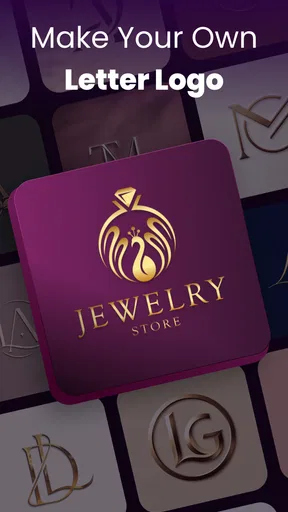
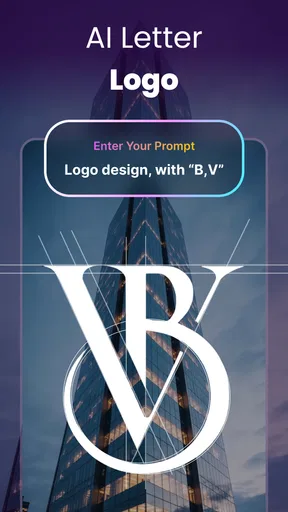
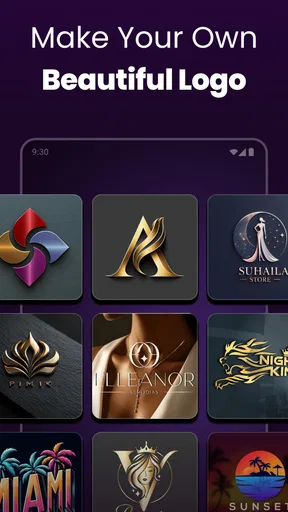
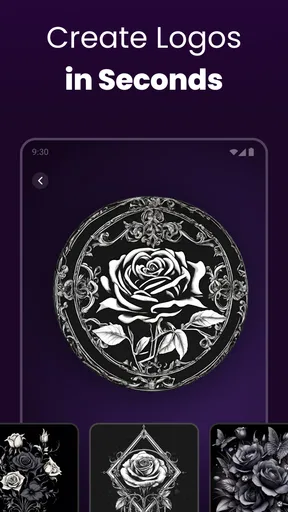
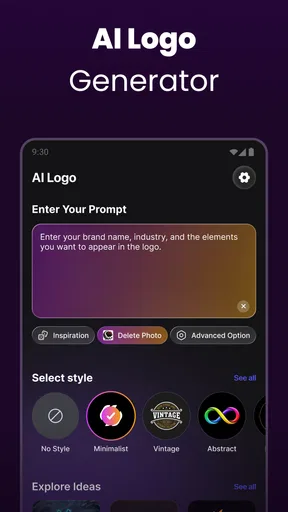
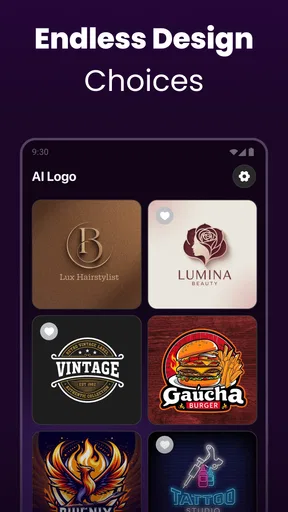
Our Review of AI Logo Maker
 Analysis by Appyee
I’ve found that the best test of a logo app isn’t whether it can produce an attractive first draft; it’s whether the result still feels useful once the excitement of trying it wears off. A logo has to work repeatedly on a profile, a simple flyer, or a small business page, and it should remain recognizable when you’re no longer browsing designs for fun. That’s the standard I’d use for AI Logo Maker: a free art and design app from FIRE Ltd that aims to make a starting identity approachable, especially when commissioning custom work isn’t practical.
When the first session feels worthwhile
The quick-start approach suits the moment when you have a name, a rough idea, and a reason to get moving. Rather than opening a blank canvas and facing every design decision at once, you describe the brand and look through generated directions. That can be a genuine relief if you’re launching a small service or testing a side project and need something presentable before you have a settled visual identity.
I’d treat the first batch of suggestions as prompts, not finished answers. A design that looks appealing in a large preview may become hard to read as a tiny social profile image. Before settling on one, I’d check whether its main shape and wording remain clear when viewed small, and whether the idea still makes sense without the decorative details. That quick test is more valuable than simply choosing the most elaborate option.
The app has a 4.6 average from around 6,200 ratings, and it has passed 100,000 installs. Those figures suggest it has found an audience, but they don’t guarantee that any particular generated design will fit your business. My practical takeaway is to use the app to get unstuck and compare directions, then judge the result against where you’ll actually display it.
Getting Started with AI Logo Maker
First things first, getting AI Logo Maker onto your device is a breeze. Just head over to the Google Play Store or the Apple App Store, hit download, and you’re ready to roll. The app greets you with a slick interface that’s super easy to navigate, which is a win for those of us who aren’t exactly tech-savvy.
Once you’ve opened the app, you’re prompted to enter a few details about your brand. This is where you tell the app what your business is all about. Is it techy, artsy, or something in between? The more info you provide, the better the app can tailor its suggestions to your needs.
The Design Process
Now, onto the fun part: creating your logo. The app uses AI to generate designs based on the information you’ve provided. You can browse through a selection of logo designs and pick one that catches your eye. What’s cool is that the app doesn’t just spit out generic designs. Instead, it offers a variety of styles, from minimalist to more ornate options. It’s like having a mini design studio right in your pocket!
Customization is a breeze, too. You can tweak colors, fonts, and layouts with just a few taps. The app also lets you add icons and symbols to make your logo truly unique. I found the range of customization options to be pretty impressive, especially considering how user-friendly the interface is.
Making the draft work in real life
One useful workflow is to decide the logo’s main job before generating anything. A baker who needs a small avatar has different priorities from a freelancer preparing a proposal cover. For the avatar, a bold icon and short name may survive reduction better than a thin script with a detailed illustration. For a document header, the full name may matter more. Knowing that destination helps you assess options instead of getting distracted by style alone.
I’d also keep a short note of the brand’s non-negotiables before entering the description: the exact spelling, the feeling you want customers to get, and any colors you already use elsewhere. A concise brief is easier to judge against than a stream of vague adjectives. If the first results feel off, changing one part of the brief at a time can help you see whether the mismatch comes from the wording or from the design direction itself.
There’s a trade-off in quick customization: having color, font, layout, and icon choices makes experimentation inviting, but it can also lead to endless small adjustments. I recommend choosing two or three priorities, such as legibility, a calm color palette, and a simple symbol, then stopping when the design meets them. That keeps the app useful as a practical tool rather than turning a basic logo task into an evening of tweaking.
Features That Stand Out
One of the standout features of AI Logo Maker is its ability to provide design inspiration. If you’re stuck in a creative rut, the app offers a plethora of ideas to get your creative juices flowing. It’s like having a brainstorming session with a professional designer, minus the hefty price tag.
The app also supports high-resolution downloads, which is a big plus if you plan on using your logo for print materials. You won’t have to worry about your logo looking pixelated on your business cards or flyers.
Another handy feature is the app’s ability to save your work in progress. This means you can start a design, take a break, and come back to it later without losing any of your tweaks and adjustments.
How it compares with other ways to make a logo
Compared with drawing from scratch in a general design editor, this app gives you a more guided route: you begin with brand details and generated concepts, then refine a candidate. That’s helpful when you don’t know how to compose a logo or need a fast first pass. A general editor is often the better choice if you already have a precise layout in mind or need fine control over every element.
Compared with hiring a designer, the app is a lower-commitment way to explore an early idea, but it isn’t a substitute for a considered identity system. A designer can ask questions, explain why a mark may not suit its audience, and develop consistent assets around it. If your logo will anchor a serious rebrand, packaging, or a large set of materials, I’d use this app to clarify your preferences rather than assume a generated draft is the entire job.
For a one-person business, club, or temporary project, that distinction may not matter much. A clean, recognizable logo can be enough to make a page feel more intentional. For a company with several products or a distinctive visual identity to protect, the time saved at the start may not outweigh the limits of a quick template-led workflow.
Who Is AI Logo Maker For?
AI Logo Maker is a fantastic tool for small business owners, freelancers, and anyone else in need of a quick logo without spending a fortune. It’s perfect for those who might not have the time or budget to hire a professional designer.
Even if you have zero design experience, the app’s intuitive interface makes it easy to create something that looks professional. Plus, the app’s AI-driven suggestions ensure you’re never at a loss for ideas.
When convenience isn’t enough
I’d be more cautious if you need a highly distinctive mark, exact brand guidelines, or a design that must be coordinated across many formats. The ability to adjust a few visual elements is useful, but it shouldn’t be confused with full control over an identity. In those cases, an experienced designer or a more flexible desktop design tool is a better fit, particularly if the logo has to satisfy precise production requirements.
It’s also worth asking yourself whether you need a logo today or a complete brand system. If you’re still unsure about your audience, product name, or overall tone, generating designs can make the uncertainty feel solved before it is. I’d use the app to explore possible directions, but I wouldn’t let a polished-looking graphic make those larger business decisions for me.
For everyday use, the app makes most sense when the task is bounded: create a first logo for a new freelance page, refresh a simple club identity, or prepare a temporary mark while a business gets established. It is less compelling when you expect to revisit the design every week or need a deep set of brand assets. The difference is not simply skill; it’s how much consistency and control the project demands.
Month-to-month value and maintenance
For recurring value, I’d look less at how many concepts I can browse and more at whether the chosen logo stays usable as the business grows. A freelancer might make the design once, save the project, and return only when a color or layout needs reconsidering. That saved-work option is particularly handy when you’re interrupted by client work: you can pause instead of rushing a decision just to finish the session.
A realistic example: imagine you offer weekend photography and need a logo for a new profile before sharing a booking announcement. I’d use the app to explore a few visual directions, then check the name at small size and compare the colors with the photos that will appear beside it. If the draft works there, the app has helped with a real task. If it only looks good on the editing screen, I’d keep exploring rather than treating completion as success.
Maintenance should be light if your brand is stable: keep the saved draft, use the same version consistently, and resist redesigning it every time a new style catches your eye. The app is free to download, while in-app purchases range from $7.99 to $39.99 per item. I’d consider a purchase only after identifying a specific need it solves; a recurring design habit doesn’t automatically justify spending, especially if you only need one straightforward mark.
Sources of fatigue
The same range of ideas that makes the first session engaging can become tiring if you keep searching for a perfect design. Generated variety is not the same as a guarantee of originality or strategic fit, so reviewing option after option can produce diminishing returns. I find it more sensible to shortlist a few candidates, compare them against the intended use, and take a break before making a final choice.
Another possible friction point is expectation. “AI” can sound as if the app will understand a business from a few words and deliver a finished identity without judgment from the user. In practice, the brief and the final selection still matter. If you don’t know what you want customers to notice, more choices may not make the decision easier. A simple, well-considered direction is often better than a busier design that seems impressive at first glance.
The app is free, but the availability of paid items means I’d keep an eye on the boundary between trying ideas and paying to continue. Its Everyone age rating makes it broadly accessible, though younger users working on a real business should still involve whoever manages purchases on the device. On a supported device, the current version is 57.0 and the minimum operating system is 9; those details are useful to check before making this part of a regular workflow.
Final Thoughts
So, is AI Logo Maker worth a download? I’d say definitely. It’s an accessible, affordable, and effective way to create a logo that feels true to your brand. Whether you’re launching a new venture or just need a fresh logo for your existing business, this app has got you covered.
It’s not going to replace a professional designer for more complex projects, but for straightforward logo needs, it’s a solid choice. So go ahead, give it a shot, and see what amazing designs you can whip up!
My longer-term verdict is more conditional than my first-session reaction: this is easiest to recommend when you have a concrete, limited design job and want a quick way to turn a loose idea into a workable draft. Its appeal can last if you occasionally need to revisit that saved work, but it may not earn a permanent spot in your routine after the logo is settled. That’s not a flaw for a tool with a focused purpose; it’s simply a reason to match the app to an occasional need rather than expect endless new value from it.
AI Logo Maker is a sensible starting point for a new seller, independent creator, or small local service that needs a basic visual identity without a complicated learning curve. I’d skip it if your project depends on precise originality, extensive brand rules, or specialist production control. For everyone in between, I’d download it, write a clear brief, test the strongest draft at the size and place it will actually appear, and decide from there whether the result is good enough to keep.
Verdict
Strengths of AI Logo Maker
- Intuitive interface for easy navigation.
- Wide variety of templates available.
- Customizable design elements.
- Quick logo generation process.
- Affordable pricing options.
Limitations of AI Logo Maker
- Limited export formats available.
- Some templates feel generic.
- Advanced features require subscription.
- Occasional app crashes reported.
- Limited font customization options.
Other Releases by FIRE Ltd
View All
Authenticator - 2FA & Password
Tools2.9

Printer App: Print Documents
Tools3.8
Similar Picks in This Category
View All
Canva: AI Photo & Video Editor
Canva4.8

PENUP – Drawing-sharing SNS
Samsung Electronics Co., Ltd.4.5

Crafto
Kutumb App4.6

Sketchbook
Sketchbook4.1

ibis Paint X
ibis inc.4.5

Adobe Express: AI Photo, Video
Adobe4.6
Frequently Asked Questions
What platforms is the AI Logo Maker app available on?
The AI Logo Maker app is available on both Android and iOS platforms. Users can download it from the Google Play Store or the Apple App Store, ensuring compatibility with most smartphones and tablets. This availability allows a wide range of users to access and utilize the app's features.
Do I need graphic design skills to use AI Logo Maker?
No, you don’t need any graphic design skills to use AI Logo Maker. The app is designed for ease of use, featuring intuitive tools and AI-powered suggestions. This enables even beginners to create professional-quality logos efficiently, making it accessible for users with varying levels of experience.
Are there any costs associated with using AI Logo Maker?
AI Logo Maker is free to download, but it may offer in-app purchases for additional features or premium designs. Users can access a range of basic functionalities at no cost, while optional paid features provide enhanced customization options for those looking to elevate their logo design experience.
How customizable are the logos created with AI Logo Maker?
The logos created with AI Logo Maker are highly customizable. Users can modify fonts, colors, icons, and layouts to suit their brand identity. The app's AI suggestions provide a starting point, which can be tailored to meet specific preferences, ensuring that every logo is unique and personalized.
Can I use the logos commercially that I create with AI Logo Maker?
Yes, you can use the logos created with AI Logo Maker for commercial purposes. However, it’s important to review the app’s terms and conditions regarding copyright and ownership. Some elements may require additional permissions or licenses, especially if premium assets are used in your design.
